
How to Prevent Liquid Slugging in Commercial Compressors
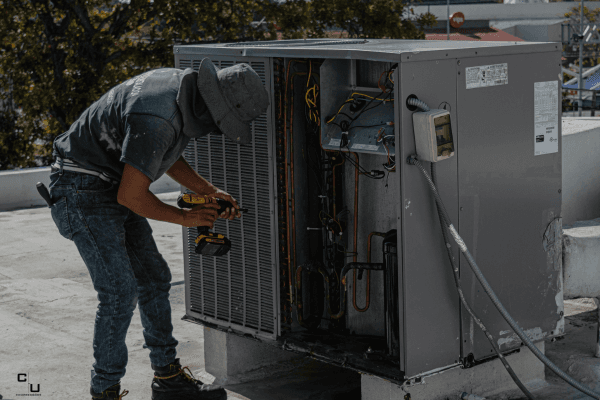
In this blog, we will discuss what liquid slugging is, what causes it, how to recognize it, and most importantly, how to prevent it before it leads to costly downtime. Liquid slugging is a major threat to commercial HVAC and refrigeration systems, especially for Carrier 06D, Carrier 06E, and Copeland 3D semi-hermetic compressors. While these […]
In this blog, we will discuss what liquid slugging is, what causes it, how to recognize it, and most importantly, how to prevent it before it leads to costly downtime. Liquid slugging is a major threat to commercial HVAC and refrigeration systems, especially for Carrier 06D, Carrier 06E, and Copeland 3D semi-hermetic compressors. While these durable compressors are designed for vapor compression, liquid slugging causes immediate, severe mechanical damage, such as bending internal components and breaking valves, leading directly to catastrophic failure, unlike typical gradual wear.
For technicians, a thorough understanding of liquid slugging is essential. This blog post is designed to explain the causes, recognition, and, most importantly, the prevention of liquid slugging to avoid expensive downtime and damage to the compressor.
What Is Liquid Slugging
Liquid slugging occurs when liquid refrigerant enters the compressor and is forced into the compression cycle. Compressors are designed to compress vapor, not liquid.
Because liquid cannot be compressed, it creates extreme pressure inside the compressor cylinder. This can result in:
- Bent connecting rods
- Broken valves
- Damaged pistons
- Cracked valve plates
Slugging often happens suddenly and without warning, especially during startup conditions.
Why Liquid Slugging Is So Dangerous
The damage from slugging is often immediate and severe.
Mechanical Damage
Internal components are designed for gas compression. When liquid enters the chamber, it creates a hydraulic force that can destroy mechanical parts instantly.
Oil Dilution
Liquid refrigerant mixes with oil, reducing its viscosity and lubrication properties. This leads to:
- Increased wear
- Overheating
- Bearing failure
System Contamination
Repeated slugging events can lead to oil breakdown, debris circulation, and eventual system-wide damage.
Common Causes of Liquid Slugging
Slugging is almost always caused by improper system conditions.
1. Floodback During Operation
Floodback occurs when liquid refrigerant returns through the suction line during normal operation.
Causes include:
- Improper expansion valve adjustment
- Low superheat settings
- Excess refrigerant flow
Floodback may not cause immediate slugging, but it creates conditions that lead to it over time.
2. Refrigerant Migration During Off Cycles
When the system is off, refrigerant can migrate to the coldest part of the system, often the compressor.
This is especially common in colder climates.
When the compressor starts:
- Refrigerant boils rapidly
- Oil becomes diluted
- Liquid enters the compression chamber
This is a common cause of startup slugging.
3. Improper Superheat Settings
Superheat controls how much refrigerant is vaporized before reaching the compressor.
Low superheat means:
- Liquid refrigerant is still present
- Increased risk of slugging
Proper superheat adjustment is essential to prevent liquid return.
4. Oversized Expansion Valves
Expansion valves that are too large can deliver excess refrigerant to the evaporator.
This can result in:
- Incomplete vaporization
- Liquid returning to the compressor
5. Evaporator Airflow Problems
Poor airflow across the evaporator reduces heat transfer.
This leads to:
- Reduced refrigerant evaporation
- Increased liquid carryover
Blocked coils, dirty filters, or failed fans can all contribute.
6. Improper System Design or Piping
Poor piping design can allow liquid refrigerant to collect in low points and return suddenly to the compressor.
This is common in systems with:
- Long horizontal runs
- Improper suction line traps
- Incorrect pipe sizing
7. Rapid Load Changes
Sudden changes in system load can disrupt refrigerant balance.
This may cause:
- Temporary floodback
- Liquid refrigerant returning to the compressor
How to Recognize Liquid Slugging
Slugging is not always easy to diagnose, but there are warning signs.
Audible Symptoms
- Loud knocking or banging during startup
- Sudden mechanical noise
Operational Symptoms
- Sudden compressor shutdown
- Repeated failures
- Oil dilution or foaming
Physical Damage
- Broken valves
- Bent internal components
- Debris found in oil
If these signs are present, slugging should be suspected immediately.
Step-by-Step: How to Prevent Liquid Slugging
Step 1: Maintain Proper Superheat
Superheat is your first line of defense.
- Adjust expansion valves correctly
- Monitor superheat levels regularly
- Avoid overly aggressive refrigerant feeding
Proper superheat ensures the refrigerant is fully vaporized before reaching the compressor.
Step 2: Install and Maintain Crankcase Heaters
Crankcase heaters prevent refrigerant migration during off cycles.
They work by:
- Keeping oil warm
- Preventing refrigerant condensation in the crankcase
This is especially important in colder environments.
Step 3: Verify Proper Refrigerant Charge
An incorrect refrigerant charge can contribute to slugging.
- Overcharged systems increase floodback risk
- Undercharged systems can create unstable operation
Always verify the charge during installation and service.
Step 4: Ensure Proper Airflow Across Evaporators
Good airflow is essential for proper refrigerant evaporation.
- Clean evaporator coils
- Replace clogged filters
- Verify fan operation
Reduced airflow leads to liquid refrigerant carryover.
Step 5: Evaluate System Piping
Proper piping design prevents liquid accumulation.
- Install suction line traps where needed
- Avoid low points where liquid can collect
- Ensure proper pipe sizing
This is especially important in large commercial systems.
Step 6: Use Suction Accumulators When Needed
Suction accumulators act as a safety device to prevent liquid from reaching the compressor.
They:
- Capture excess liquid refrigerant
- Allow it to vaporize before returning
In systems prone to slugging, accumulators are a valuable addition.
Step 7: Monitor Oil Condition
Oil dilution is a sign of liquid refrigerant issues.
- Check oil levels regularly
- Look for signs of foaming or contamination
- Replace oil if necessary
Compressors Unlimited typically ships remanufactured compressors with mineral oil or POE oil based on application. The contractor must ensure compatibility and proper oil charge during installation.
When Slugging Leads to Compressor Replacement
Once slugging causes mechanical damage, replacement is usually required.
Signs include:
- Loud mechanical noise
- Internal damage
- Loss of compression
- Repeated failure
In these cases, remanufactured compressors offer a practical solution.
Compressors Unlimited provides remanufactured units for:
- Carrier 06D and 06E
- Copeland 3D semi-hermetic compressors
These compressors are rebuilt to OEM standards and tested for performance.
Real-World Example of Copeland 3D Compressor
A refrigeration system using a Copeland 3D compressor experienced repeated startup failures.
Investigation revealed:
- Refrigerant migration during off cycles
- Inoperative crankcase heater
- Low superheat settings
After correcting these issues and replacing the damaged compressor, the system operated reliably.
The failure was not random. It was preventable.
Common Questions About Liquid Slugging
What is liquid slugging in a compressor
It occurs when liquid refrigerant enters the compressor and causes mechanical damage.
How do you prevent slugging
Maintain proper superheat, control refrigerant flow, ensure proper airflow, and prevent refrigerant migration.
Can slugging destroy a compressor
Yes. Slugging can cause immediate and severe mechanical damage.
Final Perspective for Commercial HVAC and Refrigeration Professionals
Liquid slugging is one of the most preventable causes of compressor failure. It is not a mystery problem. It is a system condition that can be identified and corrected with proper knowledge and attention.
For technicians working on Carrier 06E rooftop systems or Copeland 3D refrigeration racks, understanding slugging is essential to protecting equipment and avoiding repeat failures.
Compressors Unlimited provides contractors with both remanufactured compressors, built to meet OEM standards, and the essential technical expertise to help diagnose and prevent common problems, such as slugging.